
지직전기
[최적화] OpenGL 렌더링 성능향상 - Display List 본문
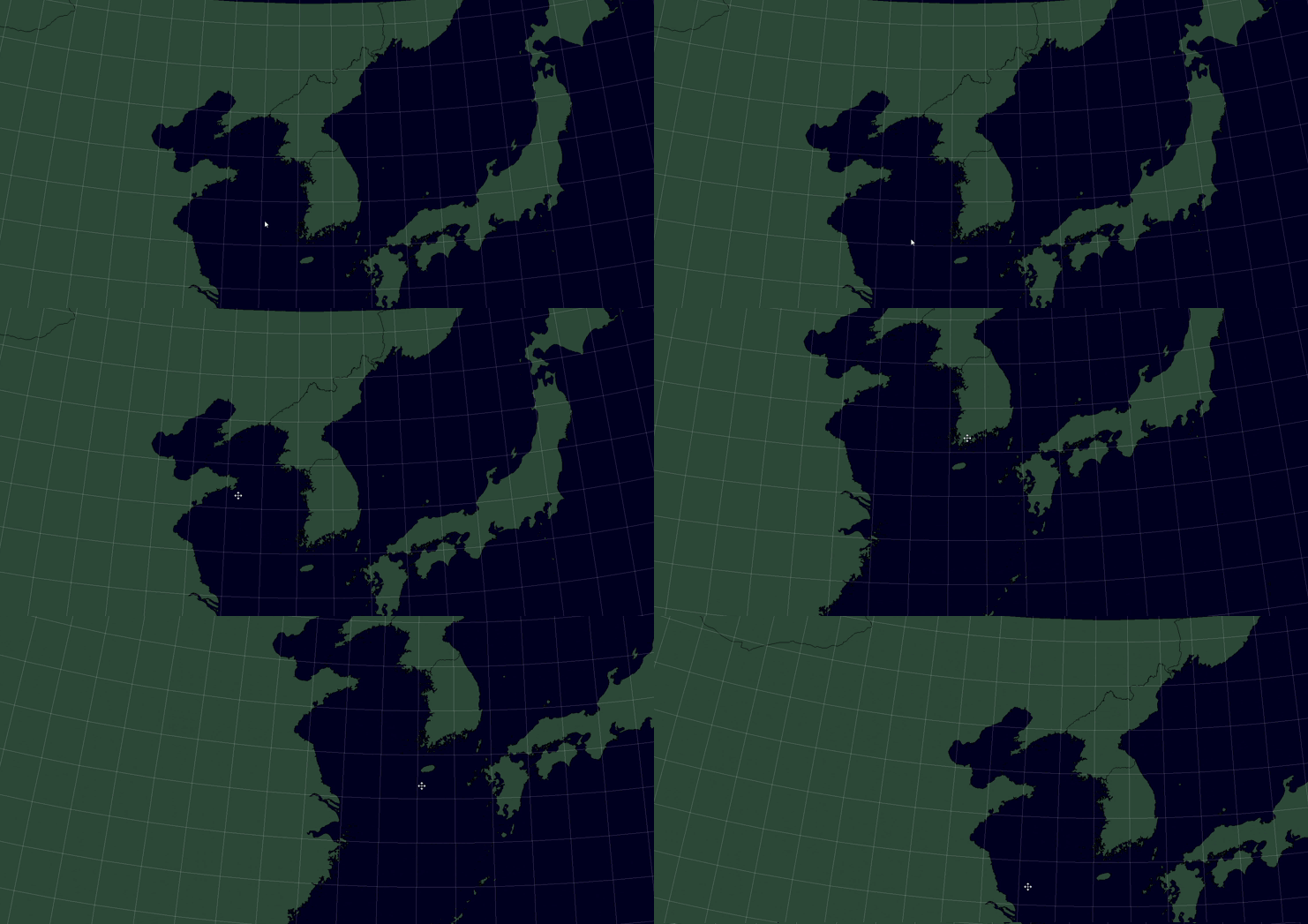

문제 발생
프로그램을 다중 실행하거나, 지도에 표시되는 오브젝트(Shapefile 등)의 개수가 많아질수록
지도 이동이나 확대/축소 시 전시 화면이 뚝뚝 끊기는 현상이 발생.
- 기존 3ms 내외였던 전시 주기가 최대 200~300ms까지 지연
- 마우스 반응도 느려지고, 전체적인 사용자 경험(UX) 저하
원인 분석
OpenGL을 이용해 맵에 지형 및 오브젝트 등 항목데이터를 실시간으로 렌더링하고 있는데 렌더링하는 함수(RenderScene()) 내부에서 ShapeFile 도형 정보(라인, 폴리곤) 등의 정보를 매 프레임마다 초기화 후 다시 렌더링하는 방식(Immediate Mode)으로 동작.
즉, 매 프레임마다 동일한 도형을 반복적으로 매번 그리게 되어 특히 지도 이동, 확대/축소 명령 시 병목현상이 일어나는 것으로 파악(매 프레임마다 CPU → GPU로 렌더링 명령을 반복 전송)
해결 방법
OpenGL의 Display List 기능을 활용하여 자주 그리는 도형(Shapefile) 정보를 미리 컴파일해 저장해두고,
필요할 때 glCallList()로 빠르게 재사용하는 구조로 변경
1. Shapefile 데이터를 처음 불러올 때 도형별로 Display List를 생성
2. 렌더링 시점에 glCallList로 호출만하게 하여 성능 최적화
📈성능 최적화 효과
| 항 목 | 변경 전 | 변경 후 |
| 평균 렌더링 시간 (객체 70개 기준) | 160~300ms | 30~50ms |
| 지도 이동 시 반응성 | 뚝뚝 끊김 | 부드러운 스크롤 |
void GraphicsManager::RenderScene(void)
{
 …(생략)
ShapefileGroup* pShapefileGroup = NULL;
ShapefileGroupVectorIter groupIter;
ShapefilePair* pShapefilePair = NULL;
ShapefilePairVectorIter pairIter;

groupIter = m_ShapefileGroupVector.begin();
while (groupIter != m_ShapefileGroupVector.end())
{
	pShapefileGroup = (ShapefileGroup*)*groupIter;

	if (pShapefileGroup && pShapefileGroup->isVisible)
	{
		pairIter = pShapefileGroup->shapefilePairVector.begin();
		while (pairIter != pShapefileGroup->shapefilePairVector.end())
		{

			pShapefilePair = (ShapefilePair*)*pairIter;
			if (pShapefilePair)
			{
				if (!pShapefilePair->displayListCreated)
				{
					BuildShapefileDisplayList(pShapefilePair); // Display List 생성
				}

				::glColor3f(pShapefilePair->color.r / 255.0f * m_Brightness,
					pShapefilePair->color.g / 255.0f * m_Brightness,
					pShapefilePair->color.b / 255.0f * m_Brightness);

				//RenderShapefile(pShapefilePair->converted); → 기존 코드(여기서 매 프레임마다 렌더링 수행)
				RenderShapefileFromList(pShapefilePair); // Display List 내 렌더링된 지형정보 불러오기

			}
			++pairIter;
		}

	}
	++groupIter;
}
 …(생략)
}

void GraphicsManager::BuildShapefileDisplayList(ShapefilePair* pair)
{
	if (!pair || pair->displayListCreated || !pair->converted.records || pair->converted.numRecords <= 0)
		return;

	pair->glDisplayList = glGenLists(1);
	glNewList(pair->glDisplayList, GL_COMPILE); // 새로운 DisplayList 생성

	// 기존 RenderShapefile(pShapefilePair->converted)을 여기에서 수행
	for (int recNum = 0; recNum < pair->converted.numRecords; ++recNum)
	{
		SHAPEFILE_RECORD* recPtr = pair->converted.records[recNum];
		if (!recPtr) continue;

		if (recPtr->shapeType == SHAPE_TYPE_POINT)
		{
		}
		else
		{
			for (int partNum = 0; partNum < recPtr->numParts; ++partNum)
			{
				SHAPEFILE_PART& part = recPtr->parts[partNum];

				// 타입별로 glBegin 설정
				if (recPtr->shapeType == SHAPE_TYPE_POLYGON || recPtr->shapeType == SHAPE_TYPE_POLYLINE)
				{
					glBegin(GL_LINE_STRIP);
				}
				else
				{
					switch (part.partType)
					{
					case SHAPE_PARTTYPE_TRIANGLE_STRIP:
						glBegin(GL_TRIANGLE_STRIP);
						break;
					case SHAPE_PARTTYPE_TRIANGLE_FAN:
						glBegin(GL_TRIANGLE_FAN);
						break;
					case 6: // 삼각형
						glBegin(GL_TRIANGLES);
						break;
					default:
						continue;
					}
				}

				for (int i = 0; i < part.numPoints; ++i)
				{
					glVertex2d(part.points[i].x, part.points[i].y);
				}

				glEnd();
			}
		}
	}

void GraphicsManager::RenderShapefileFromList(ShapefilePair* pair)
{
	if (!pair || !pair->displayListCreated)
		return;

	glCallList(pair->glDisplayList);
}'STUDY > Troubleshooting' 카테고리의 다른 글
| [트러블 슈팅] 항적 관리 간 삭제, 업데이트 충돌 문제 - Race Condition(경쟁 상태) (1) | 2025.04.18 |
|---|---|
| [트러블슈팅] 프로시저를 이용한 더미데이터 생성 (0) | 2024.05.30 |
| [트러블 슈팅]JPA 사용 중 N+1 문제 (2) | 2024.05.23 |
| [트러블 슈팅]VUE.js 설치 간 실행 오류 (0) | 2024.04.22 |
'STUDY/Troubleshooting' Related Articles
more
